
Een andere skin kiezen voor MKG
Bij de implementatie wordt MKG uitgeleverd met een standaard skin, de DevExpress stijl. Maar je kunt MKG je eigen stijl geven door te kiezen uit één van de ruim 50 beschikbare skins. In deze video zie je hoe je dat doet en welke mogelijkheden je daarnaast nog hebt.
|
De bediening van MKG | Hoe kies je een skin voor MKG? |
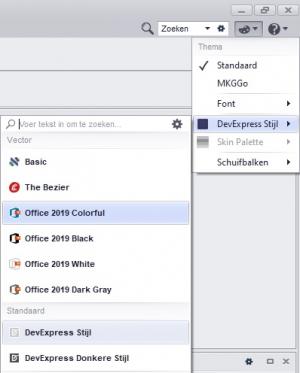
Waar kun je de skin voor MKG instellen?
Na de implementatie is MKG standaard uitgeleverd in de skin 'DevExpress stijl'. Je kunt je eigen skin kiezen uit één van de ruim 50 beschikbare skins. Deze vind je onder de knop Thema
.Tussen de beschikbare skins bevinden zich enkele dark skins die een donkere achtergrond geven en zorgen voor een groot contrast.
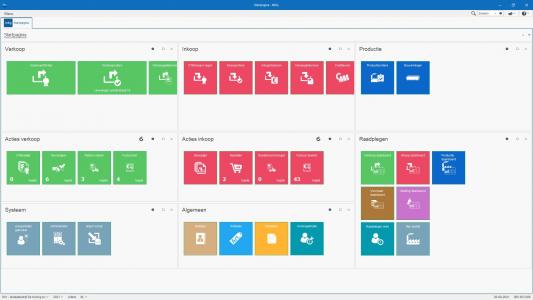
De afbeelding van de MKG Startpagina hieronder toont MKG in de skin 'Office 2019 Colorful'. Geef MKG je eigen stijl en kies je favoriete skin.
- Published:20 aug 2021 09:28
- TypeHandleidingen
- Category
- Product
- AvailabilityOpenbaar